


The Rich Text Editor (RTE) is a tool that allows you to add or edit content, images, links, and other components on the page without having to know any code. It displays the content and any formatting the way it will display in the browser. The Rich Text Editor toolbar functions resemble those of a word processor, with limitations.
NOTE: Sitecore has a 20-minute session timeout. This means if you are not working in Sitecore for 20 minutes straight, your session will timeout, and Sitecore will automatically log you out. Any changes you made that were NOT saved will be lost.
When working in the RTE, the Sitecore session timeout continues its countdown because Sitecore does not recognize your activity. To ensure your content is saved and you do not get logged out after 20 minutes when working in the RTE, select the Accept button at the bottom of the screen (exiting you out of the RTE) and then select the Save  icon.
icon.
- 💡 Refer to the CT.gov Content Style Guide for tips on writing accessible, web-friendly content that is easy for our visitors to navigate.
- You may also access the HTML code in code view by selecting the HTML tab at the bottom of the editor.
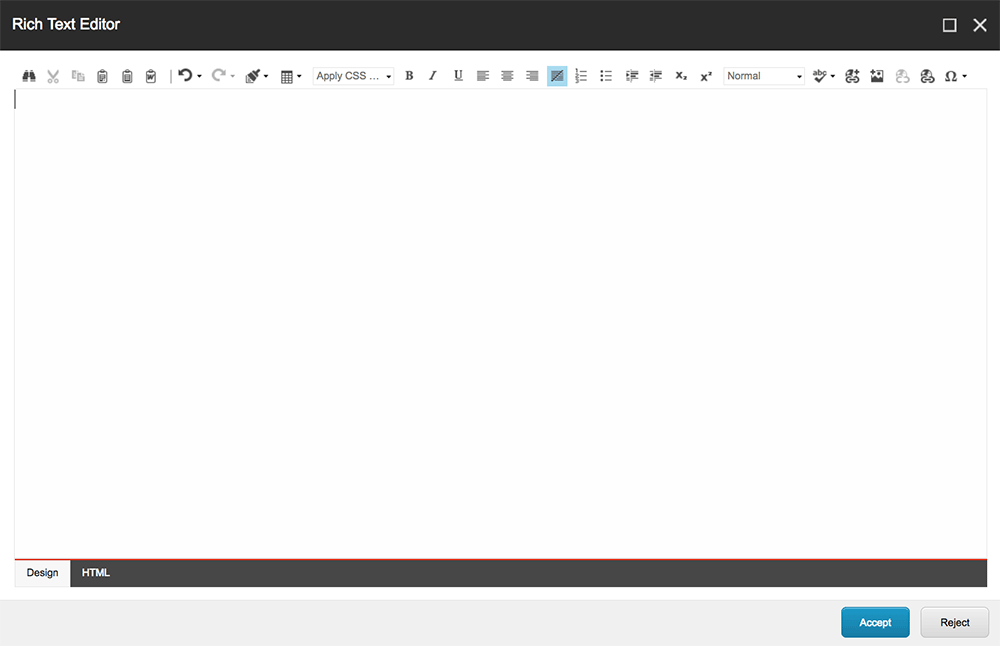
Rich Text Editor toolbar functions
Here are the functions you can use to add and format text:
 Find and Replace: Find specific text within the editor and replace it with different text
 Cut
Cut
 Copy
Copy
 Paste
Paste
 Paste Plain Text (This strips all formatting from the text you paste into the RTE. We recommend you always use this when pasting text from another source.)
 Paste from Word, strip font
 Undo
Undo
 Redo
Redo
 Format Stripper
 Insert Table
 Bold
Bold
 Italic
 Underline
 Align Left
 Align Center
 Align Right
 Remove alignment
 Numbered List
 Bullet List
 Indent
 Outdent
 Subscript
 Superscript
 Spellcheck
 Insert Sitecore Link
 Insert Sitecore Media
 Remove Link
 Hyperlink Manager
 Insert Symbol


