


Use Publish to Preview when you want someone to review a page before it appears on the live CT.gov website.
Publishing to Preview creates a private review version of your page. The page displays with the full CT.gov design, navigation, components, images, and documents so reviewers can see how it will look when it goes live.
When to use Preview
Publish to Preview when you need:
- Content approval
- Policy or legal review
- Accessibility review
- Quality assurance testing
- Feedback from people who do not have access to Sitecore
Many content authors use Preview while they build or update pages. Reviewers can view the page in a browser before it is published to the live website.
How Preview works
- Publish your page to the Preview target.
- Sitecore generates a preview link.
- Share the link with reviewers.
- Reviewers open the page without signing in to Sitecore.
The page is available only through the preview link. It does not appear on the live CT.gov website.
How to publish to preview
- Select only the item or page you want to publish.
- Select the Publish tab.
-
Click Publish Content.
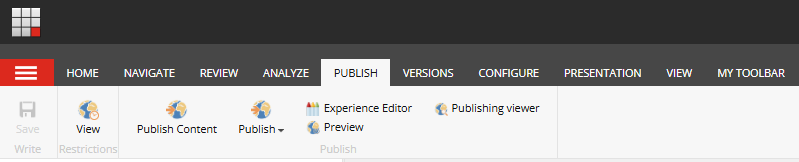
Or — Right‑click the item and choose Publish Item.
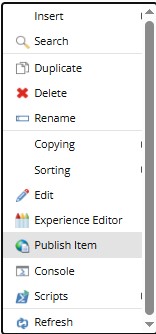
-
In the Publish Item window, select the appropriate items:
- Smart Publish – Publishes updates to the selected item.
- Republish – Publish everything.
- Publish subitems – Publishes any child items (such as subpages in a folder).
- Publish related items – Publishes any linked files like images or documents.
- Language: English (set, you cannot change)
-
Publishing targets:
- Choose Internet (web) to publish to the live site.
- Choose Preview to generate a review link.

- Click Publish.
- When the confirmation window appears, click OK.
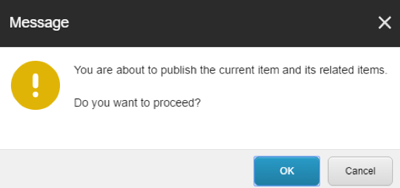
A dialog box will appear indicating items are being published. Once complete, it will show the results.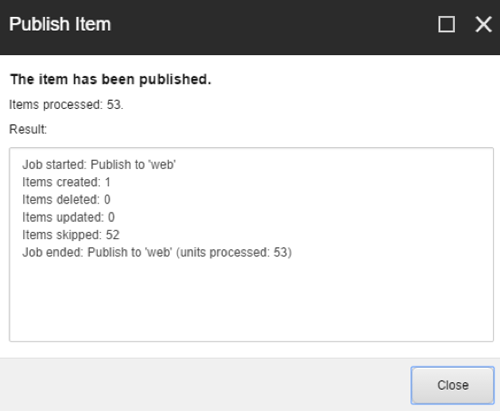
Select Close when done.
Your content is now published to the preview site based on selected the preview target during the publishing process.
Preview or Internet (web)?
| Publishing target | Use it when |
|---|---|
| Preview | You need feedback, testing, review, or approval before publishing a page to the public website. |
| Internet (web) | The page is approved and ready for the public CT.gov website. |


