


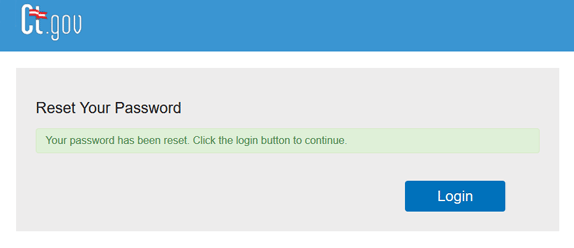
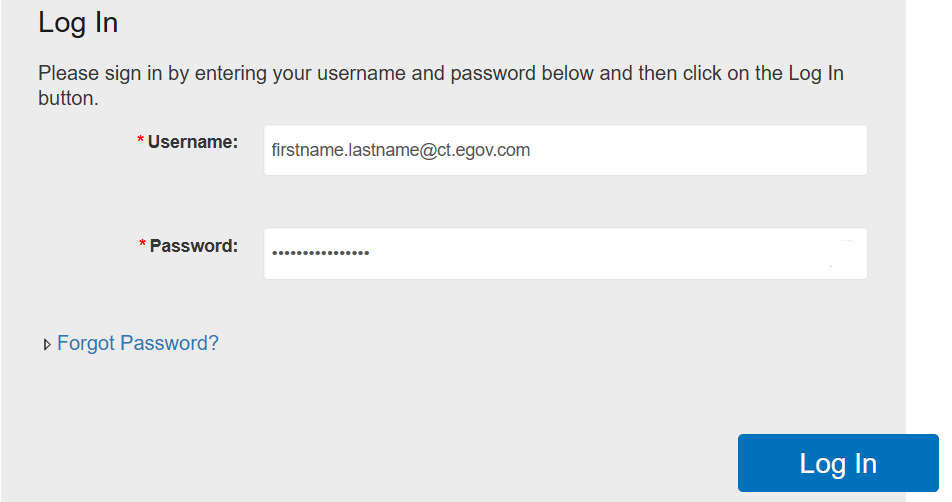
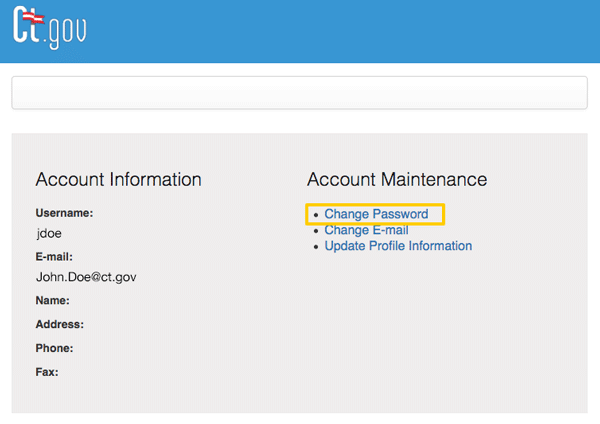
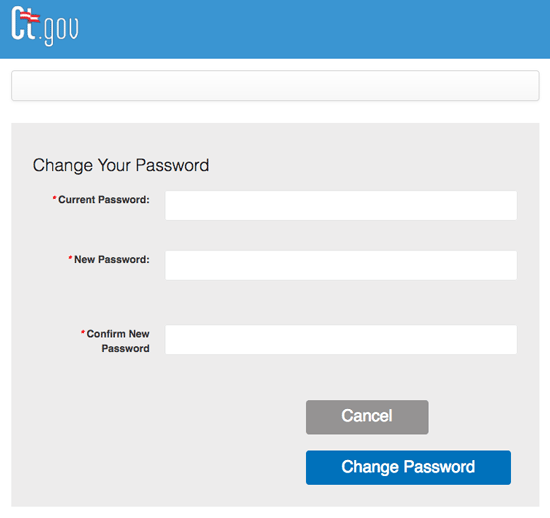
You’ll receive your Sitecore username and password before you begin working in the system—usually before training. This lets you log in, practice, and get familiar with the tools. Use this guide to log in, reset a forgotten password, or change your password when it’s about to expire. Sitecore passwords expire every 90 days. Fourteen days before expiration, you will receive a daily email reminder with a link to change your password. Tip: Use the training site during onboarding or class sessions. Use the live site for real content updates. Click State Agency User Login. Important: Do not use the Username and Password fields on this screen. They will not work for Sitecore accounts. On the Microsoft login screen, select Use another account, If this is your first time signing in, you’ll need to type it manually. After that, it will appear in your account list. Use the temporary password sent to you in the account‑creation email. Important: The Forgot my password link will not work for first‑time logins. If you don’t have your temporary password, follow the steps in Forgot password. After signing in, you’ll land on the Sitecore Launchpad, where you can access Content Editor, Media Library, Experience Editor, and other tools. For assistance, email DGOETraining@ct.gov. Once you have a Sitecore account, you can reset your password anytime by following the steps below. Use your CT.gov email (for example, firstname.lastname@ct.gov). Do not enter your Sitecore username ending in @ct.egov.com. Your password must meet these requirements: Click Reset Password. Note: It can take up to 45 minutes for a new or reset password to begin working. Sitecore passwords expire every 90 days. You’ll receive daily reminder emails starting 14 days before expiration. Important: Do not click Change E-Mail or Update Profile Information—these options do not work for Sitecore accounts. You’ll see a success screen if both passwords match and meet all requirements. You will also receive a confirmation email.Log into Sitecore
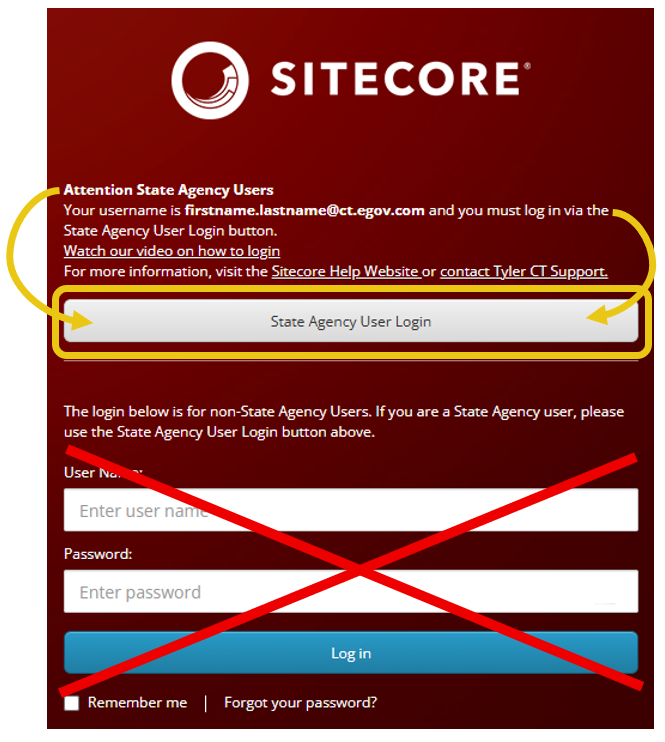
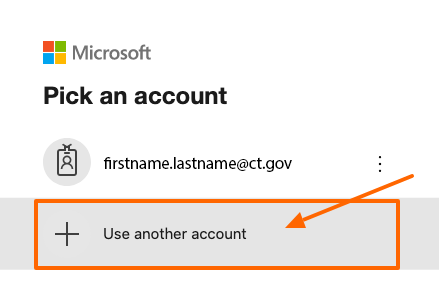
then enter your Sitecore username: firstname.lastname@ct.egov.com
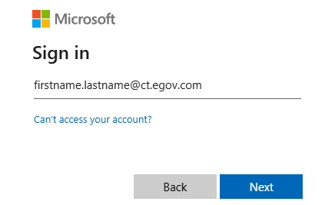
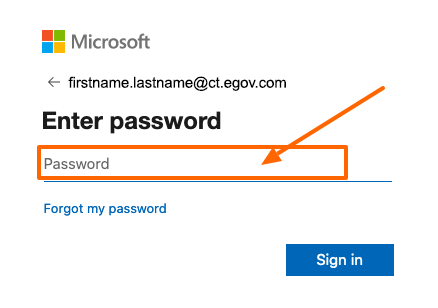
Forgot password
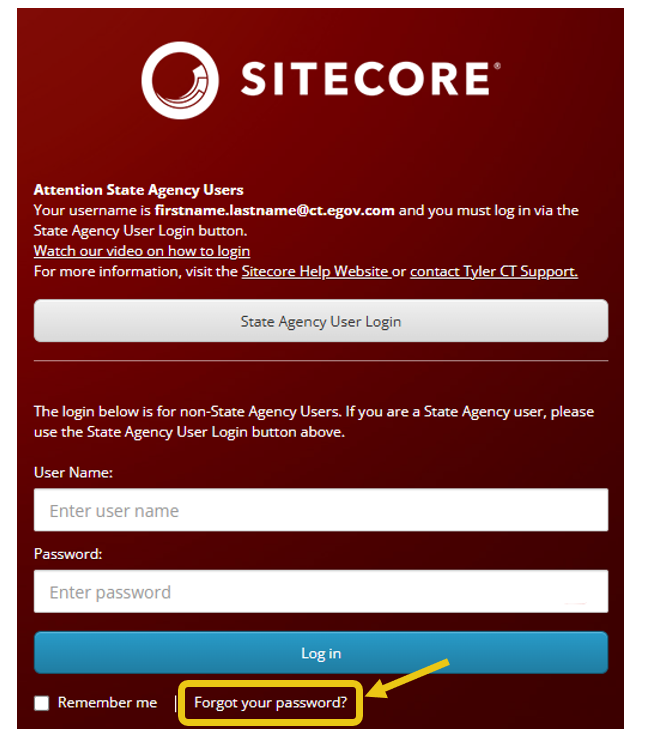
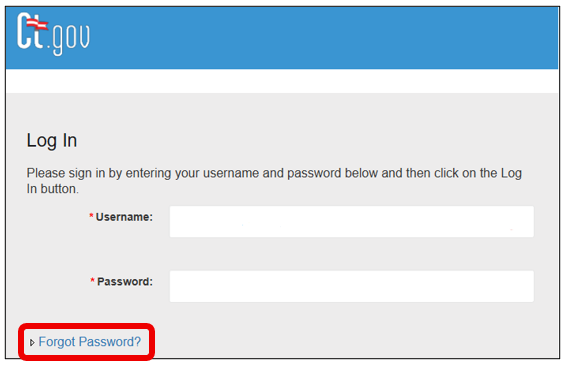
Or go directly to CT.gov User Management Login and select Forgot Password?
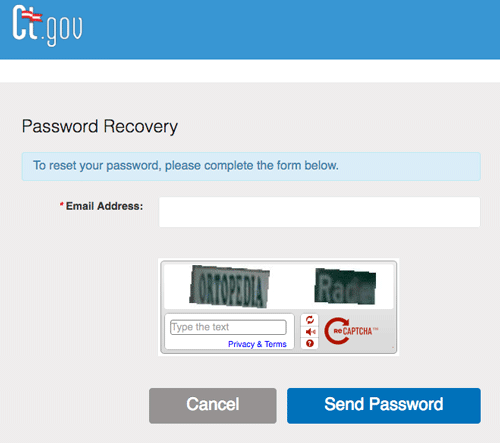
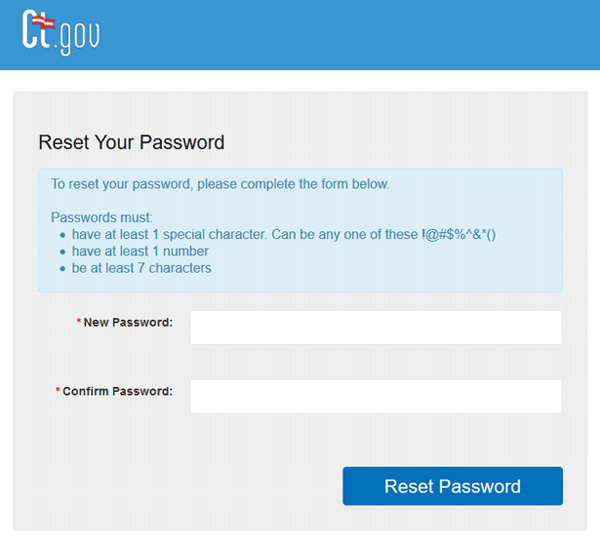
If both fields match and meet all requirements, you’ll see a success message and receive a confirmation email.
Change password


Logins and passwords

Read time: 6 minutes


