


Instructions for Finding Medicaid Rates
Instructions for Finding Medicaid Rates
Introduction
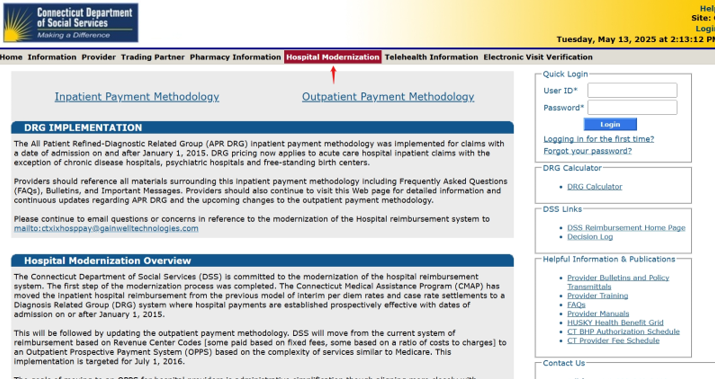
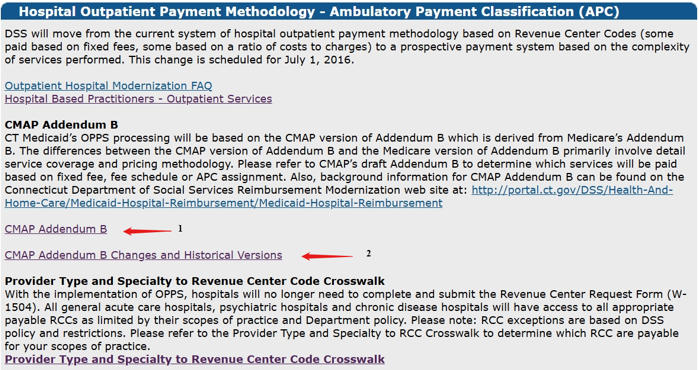
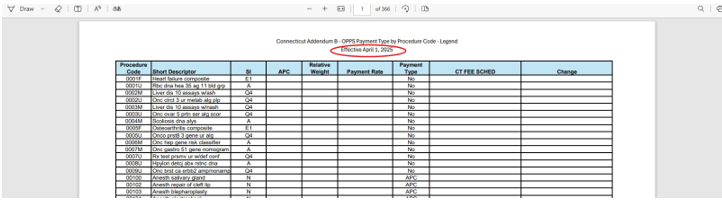
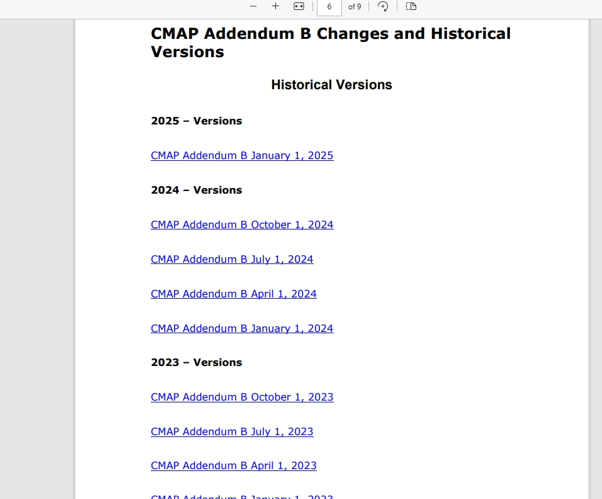
Use these steps to locate Connecticut Medicaid rates for TB-related services. Most schedules download as Excel spreadsheets. Hospital outpatient rates use an APC methodology with a separate CMAP Addendum B (current and historical).
Part I: All Fee Schedules (CTDSSMAP)
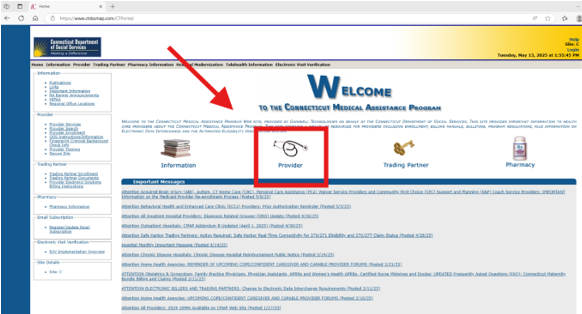
- Go to ctdssmap.com/CTPortal and select Provider.
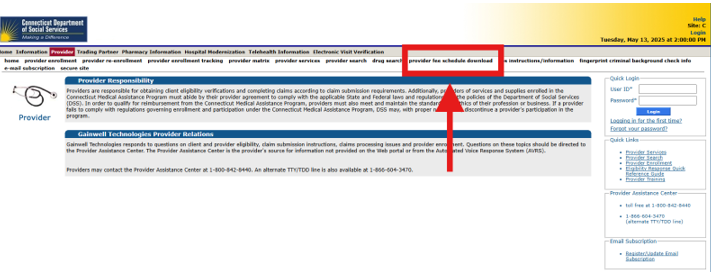
- Click Provider Fee Schedule Download.
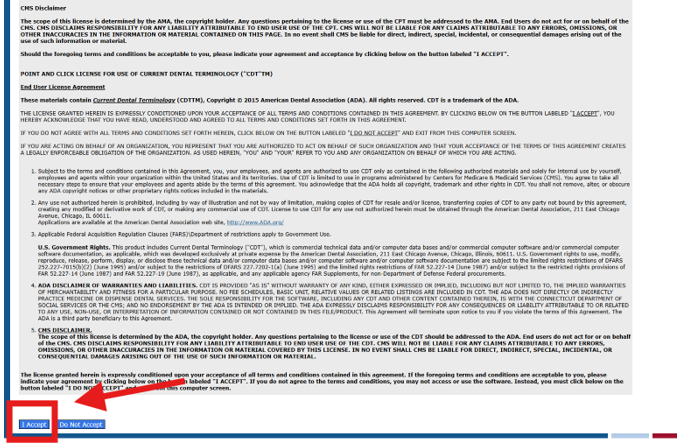
- Read the End User License Agreement, scroll, and click I Accept.
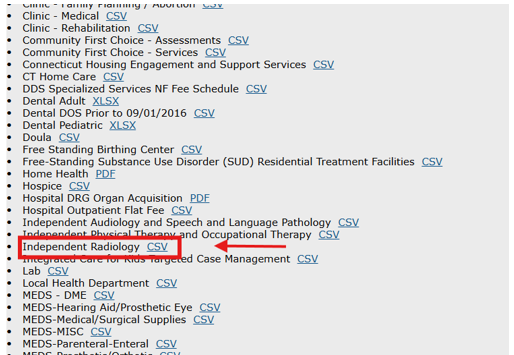
- You’ve reached the page listing all fee schedules by provider type.
Part II: Provider-Type Schedules
Independent Radiology
Laboratories
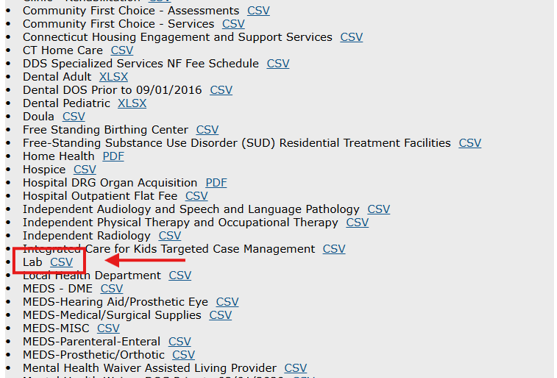
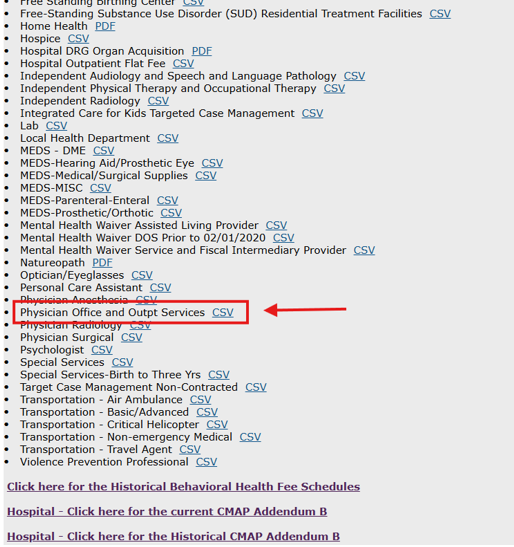
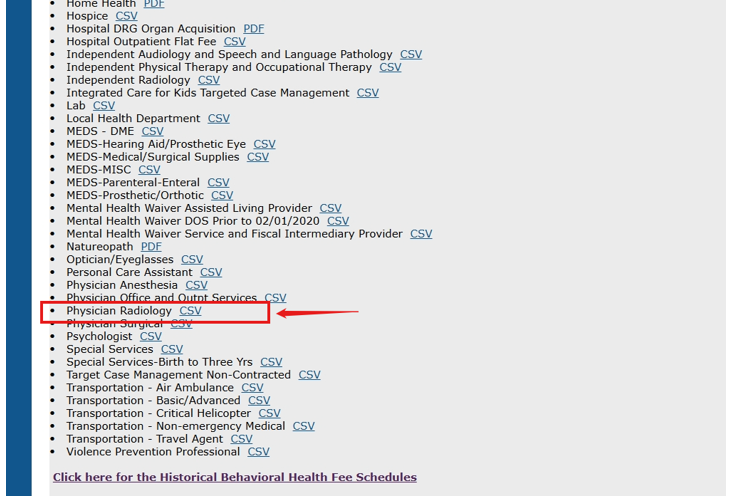
Physicians
a. Physician Office & Outpatient Services
b. Physician Radiology
c. Lab
For physician-ordered lab services, see Laboratories above.
Hospitals (APC / CMAP Addendum B)
Tips & Notes
- Match by date: Use the rate that corresponds to the service date(s).
- Hospitals: Confirm the APC grouping and use the correct CMAP Addendum B version.
- Keep copies: Save the spreadsheet or a PDF print with your claim backup.
- TB Billing: CO-17 amounts must match CTDSSMAP/Medicaid rates, and documentation must support the billed codes/dates.
Contact Information
For payment policy and submission details, visit TB Billing and Payments. For site navigation questions on CTDSSMAP, use the help resources provided on their portal.
If a link or section name changes on CTDSSMAP, update the labels above to match the live site exactly so providers can follow along.
Updated 11/24/2025